
Create From Client Control Panel
- Log in to Client Control Panel https://cp.runitspace.com
- Click Service > Choose your Product/Service.
- Click Login to Webmail to SmarterMail web interface.
- Click the More icon.
- Expand the Domain Settings folder.
- Click Users.
- Choose Rename in the "3dot" Option.
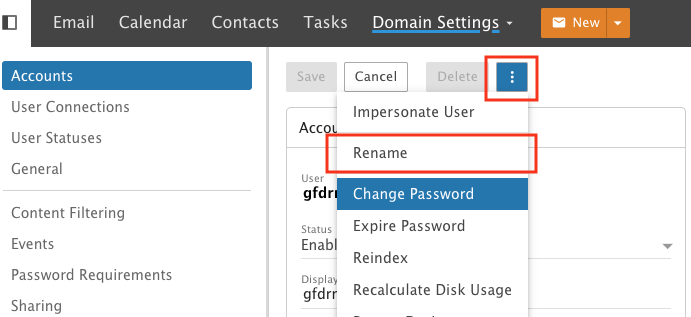
- Change new name you wish.
- Click Save.
Create From Smartermail web interface. (you need to set up the account as Domain Admin Role from the Client Control panel first)
- Login to Webmail to SmarterMail web interface with your URL (for example https://mail.domain.com)/
- Click the More icon.
- Expand the Domain Settings folder.
- Click Users.
- Choose Rename in the "3dot" Option.
- Change new name you wish.
- Click Save.
