
Follow the below mentioned steps to create the user alias:
- Login to webmail control panel (How to login to webmail control panel with admin role).

- Go to Settings > Domain Settings.
- Accounts > Click on Aliases.

- Click on New.
- Enter the Alias Name.
Name: The Alias (Group Name)
Display Name: The name is displayed on the panel and sent out an email.
Email Address: The address to which to forward.
Description: Any to help you understand.
Internal use only: only receive internal domain user email
Include all domain users: Careful* It will send to all internal user if you enabled it.
An alias can be used as from address in Webmail: allow to sent out with this alias
Show in Global Address List: Show this address in Address list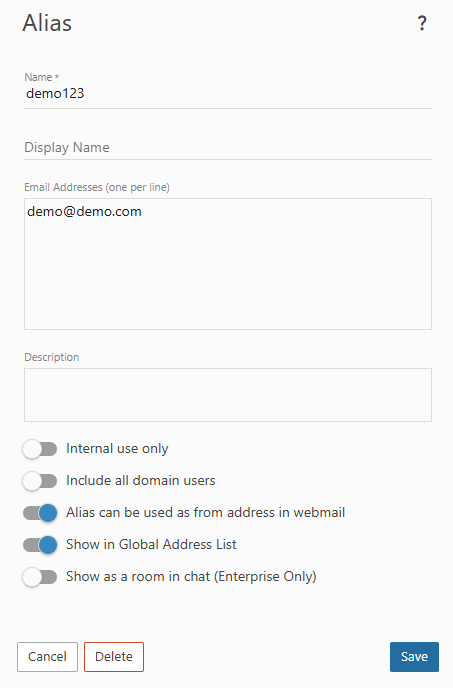
- Click on Save.
