
A catch-all alias (or wildcard alias) is a single email address that collects all messages sent to any nonexistent address at a specific domain
- Log in to the client panel (https://cp.runitspace.com)
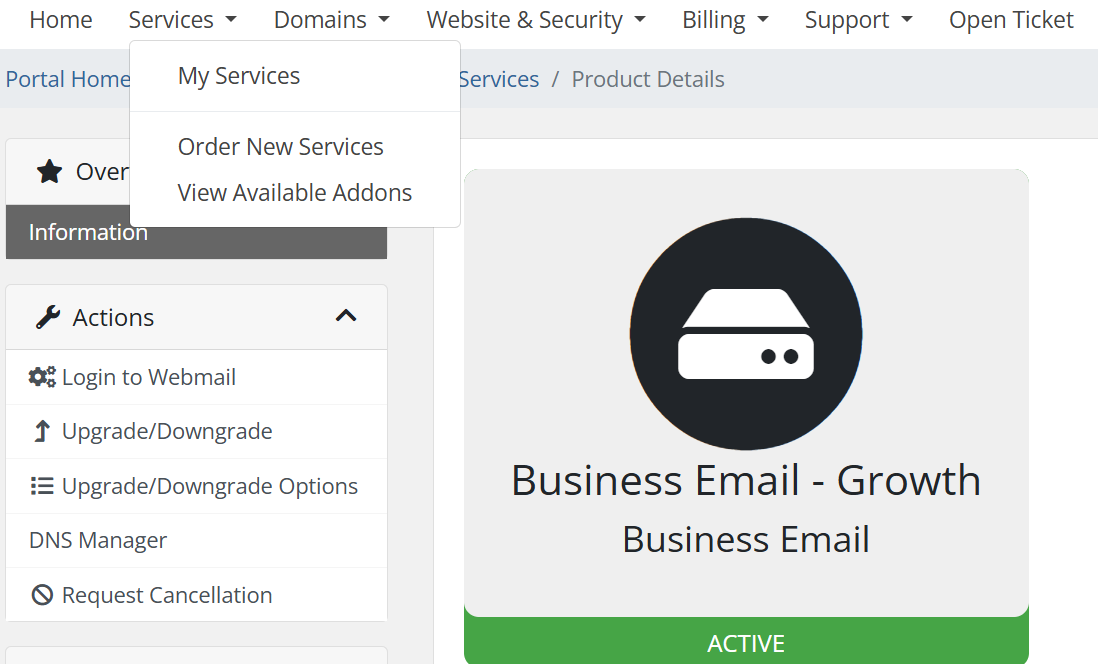
- In Client Area > Choose Service > Click any of your Email hosting services.
- On the left-hand side Actions box > Click Log in to Webmail.
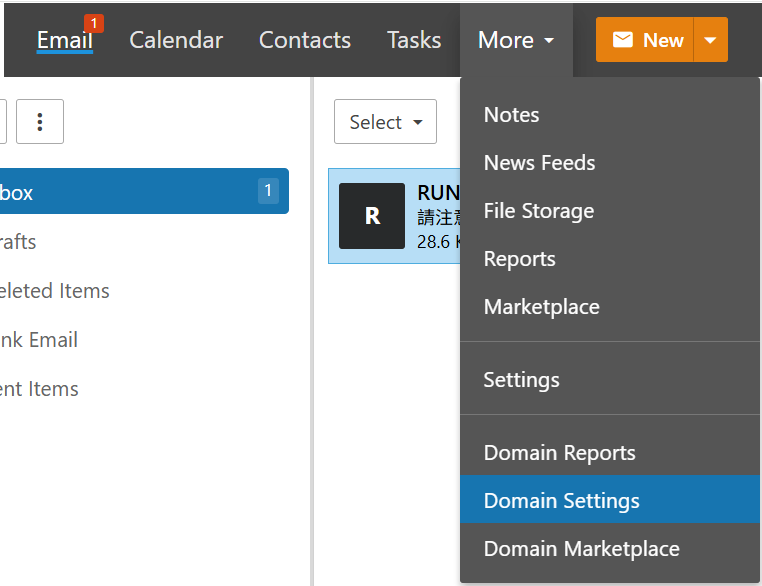
- Click the More icon.
- Expand the Domain Settings folder.
- On the left-hand side General > Catch all Ailas
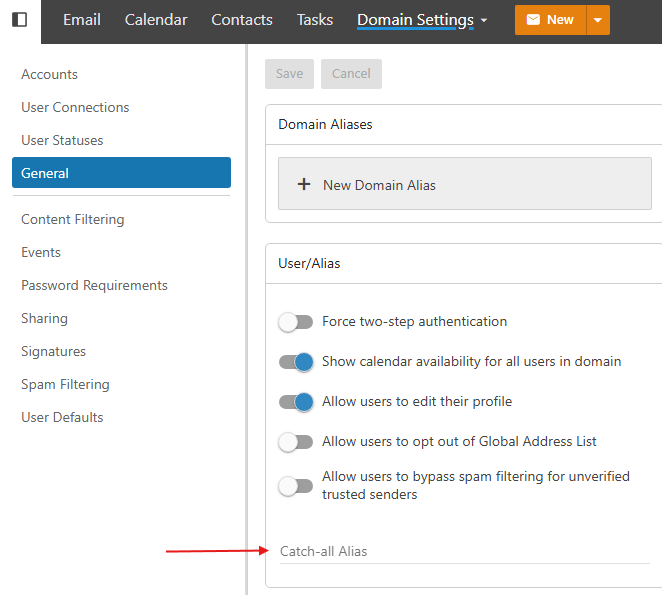
- Type an email to collect all emails
Warning: Catch-All alias may receive a lot of Spam Mail
