Run IT Solutions Limited
  • 0 Shopping Cart
  • Home
  • Store
    • Browse All
    • Linux Cloud Web Hosting
    • Windows Cloud Web Hosting
    • Business Email
    • Dedicated Server
    • SSL Certificates
    • Register a New Domain
    • Transfer Domains to Us
  • Announcements
  • Knowledgebase
  • Network Status
  • Affiliates
  • Contact Us
  • More
  • Account
    • Login
    • Register
    • Forgot Password?
  1. Portal Home
  2. Knowledgebase
  3. Webhosting
  4. Additional User Accounts

  Categories

Dedicated Server
1
Domain
3
Email Hosting
67
VPS Hosting
0
Webhosting
20

  Categories

  Support

My Support Tickets
Announcements
Knowledgebase
Downloads
Network Status
Open Ticket

Additional User Accounts Print

  • 0

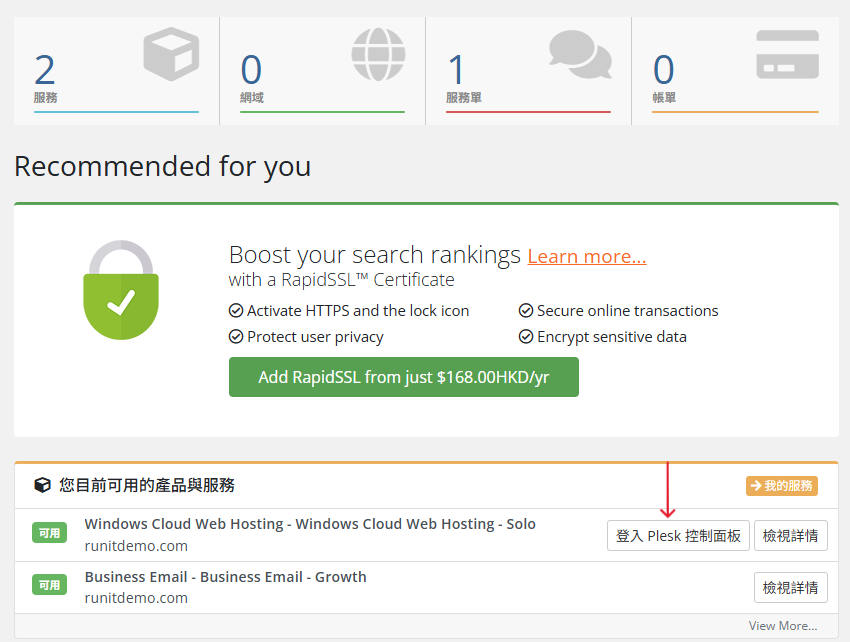
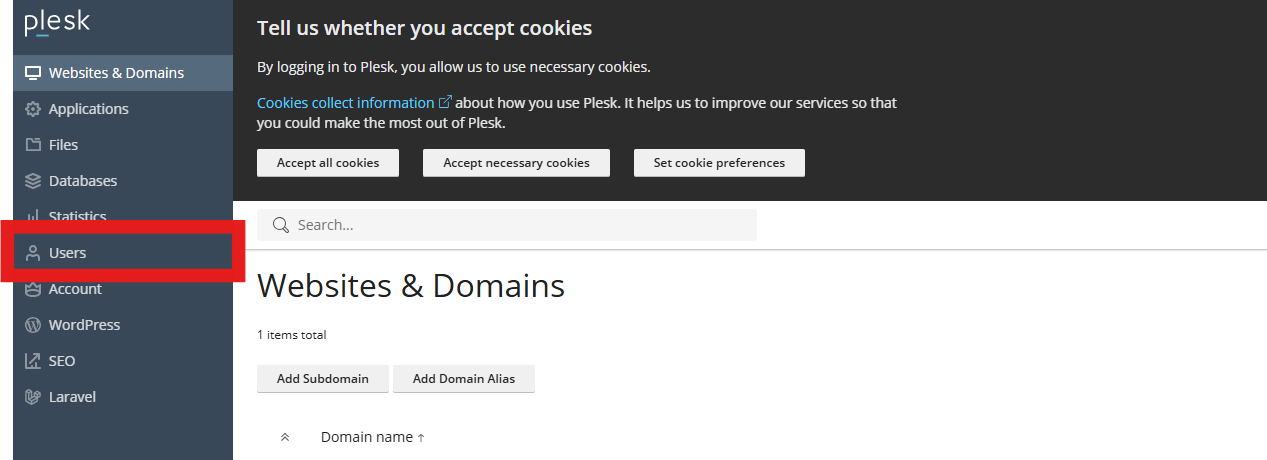
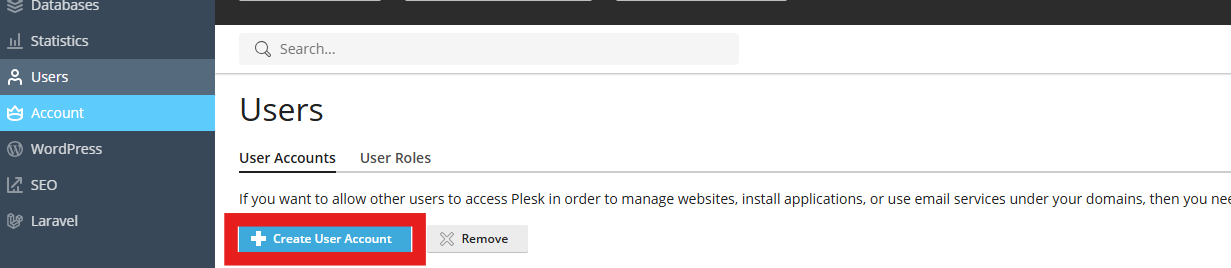
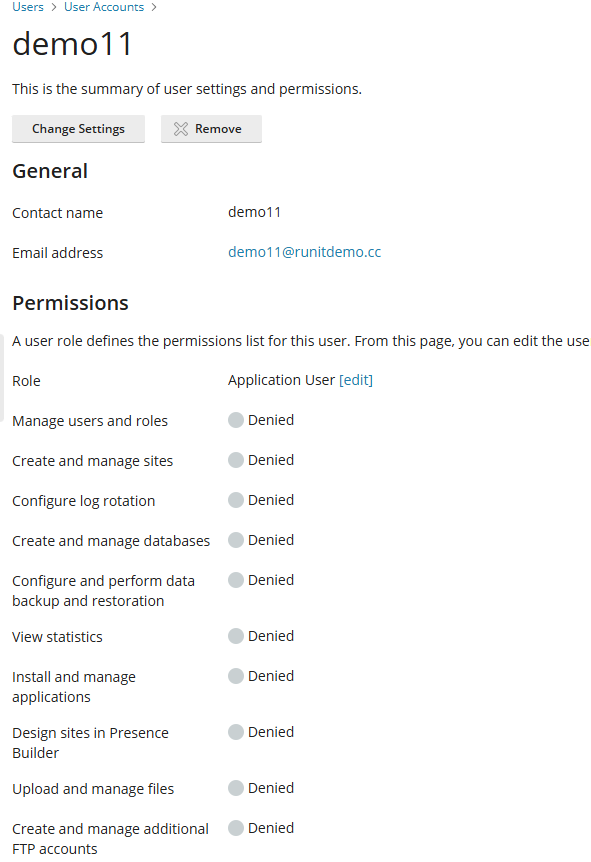
To create a user account:

  • Log in to Plesk


  • Find Users > Create User Account


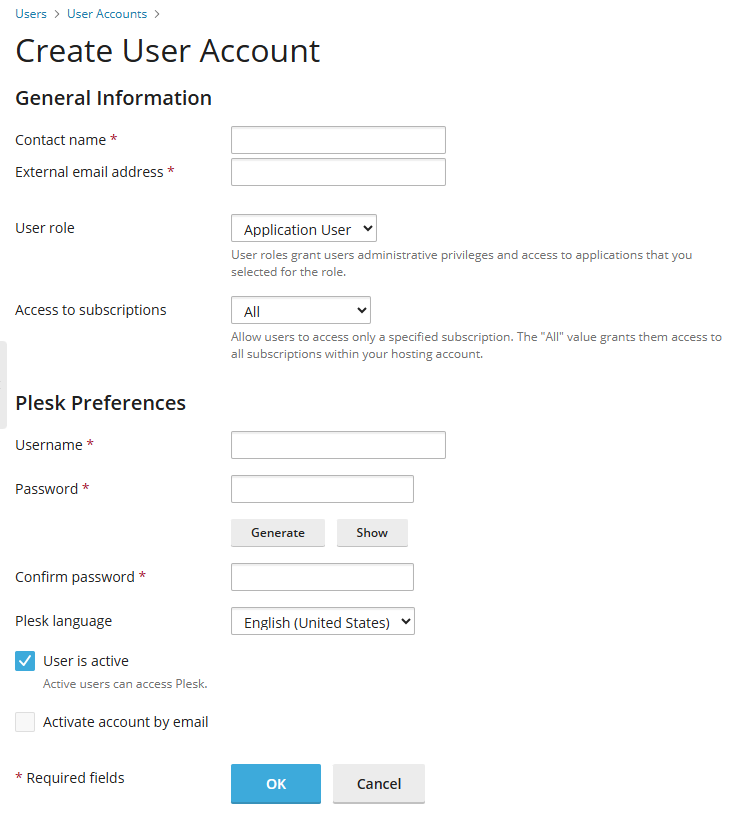
  • Enter Contact name, email address, Username, user password and click OK. 

  • You may change settings inside. 


Was this answer helpful?

Related Articles

Adding and Remove FTP Accounts To create an additional FTP account: Log in to Plesk. Go to Websites & Domains,... Changing FTP Access Credentials To change FTP account username or password of your system user: Go to Websites... Create a Website Create a Website This approach is best if one or more of the following are true: You plan to... Create a Website Using a CMS This approach is best if one or more of the following are true: You prefer to focus on... Creating Databases Watch the video tutorial You can create and remove databases in Websites &...
« Back

  Support

My Support Tickets
Announcements
Knowledgebase
Downloads
Network Status
Open Ticket
  • Contact Us
  • Terms of Service

Copyright © 2026 Run IT Solutions Limited. All Rights Reserved.


Loading...
Loading...
Choose language
العربية
Azerbaijani
Català
中文
Hrvatski
Čeština
Dansk
Nederlands
English
Estonian
Persian
Français
Deutsch
עברית
Magyar
Italiano
Macedonian
Norwegian
Português
Português
Română
Русский
Español
Svenska
Türkçe
Українська

Choose Currency

$ HKD
$ SGD

Generate Password

Please enter a number between 8 and 64 for the password length