
How to upload attachments to file storage
If the file/attachments are too big ( >25mb), you can upload to file storage and share the link. Those people who have the link can access the attachment/file.
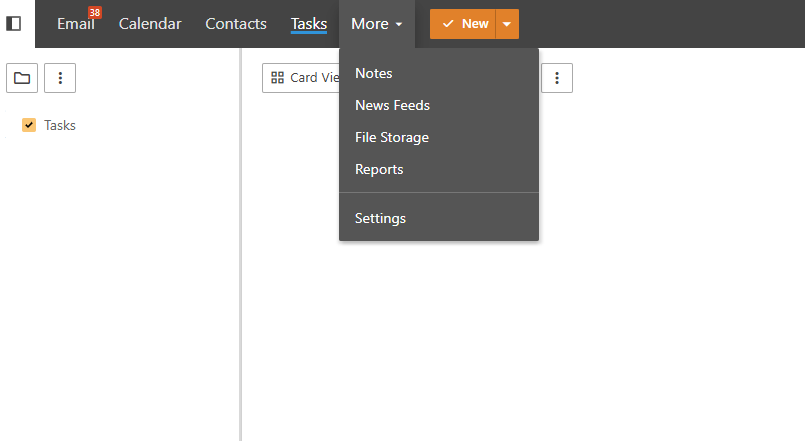
- Log in to Webmail >More > File storage
Click Upload and choose the attachment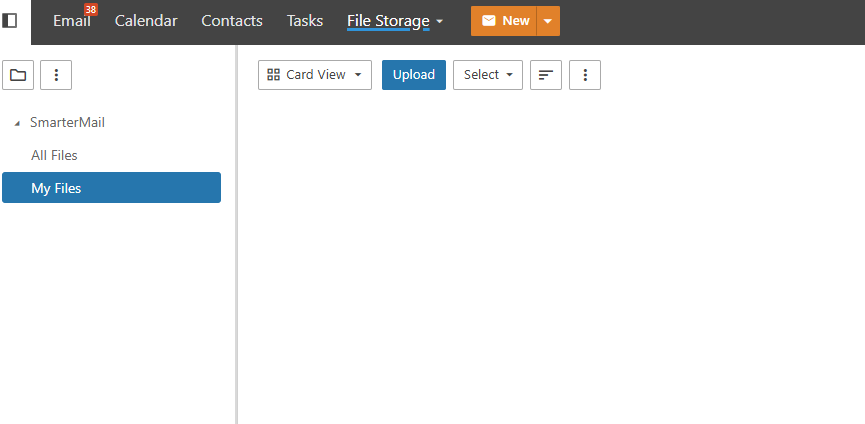
Click the file > Enable Public Access > Copy file link > Save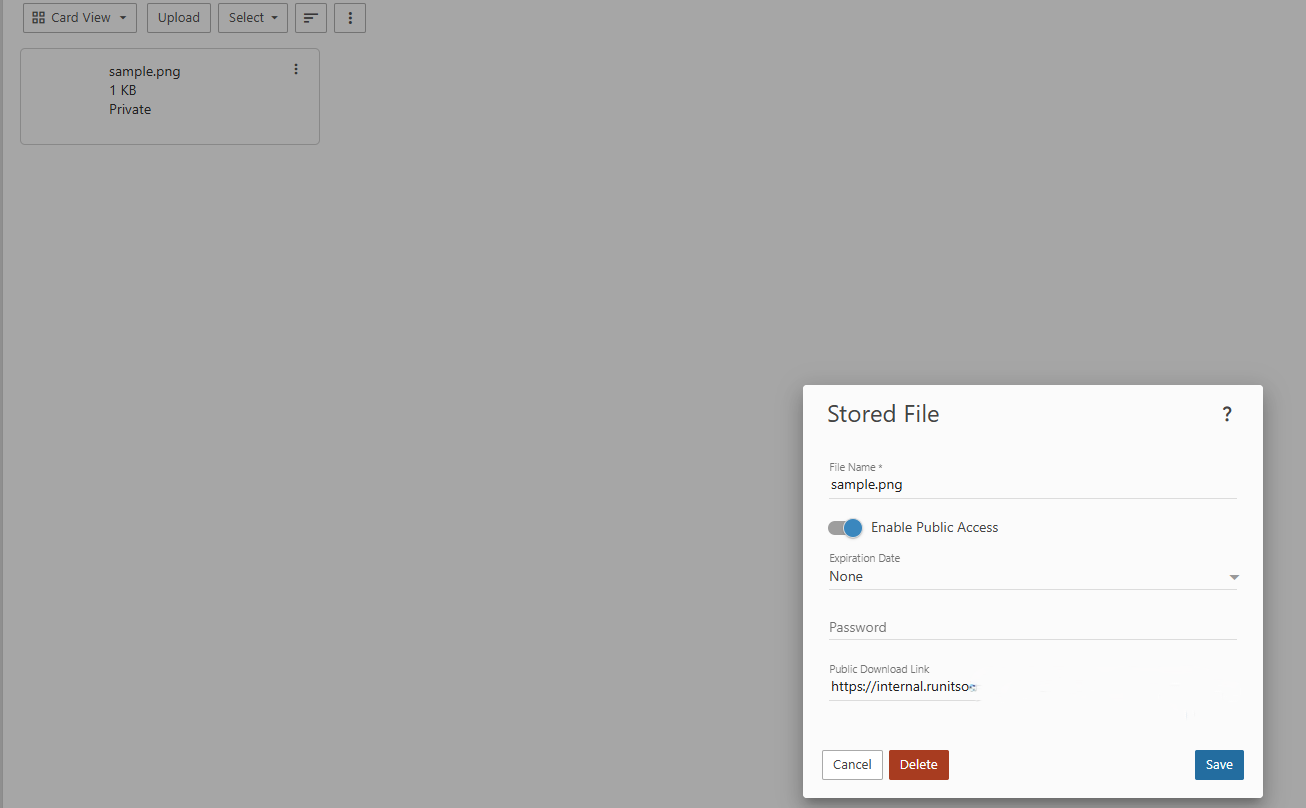
You can share the file link with others. (If the attachments >25mb) How to Send an Email with a Stored File Attachment
