
First of all , you need to access with the admin role
To Access the Web Control Panel, you might have a few ways to do it.
Access from the Client panel
- Login to the client panel (https://cp.runitspace.com)
- In Client Area > Choose Service > Click any of your Email hosting services.
- On the left-hand side Actions box > Click Log in to Webmail.
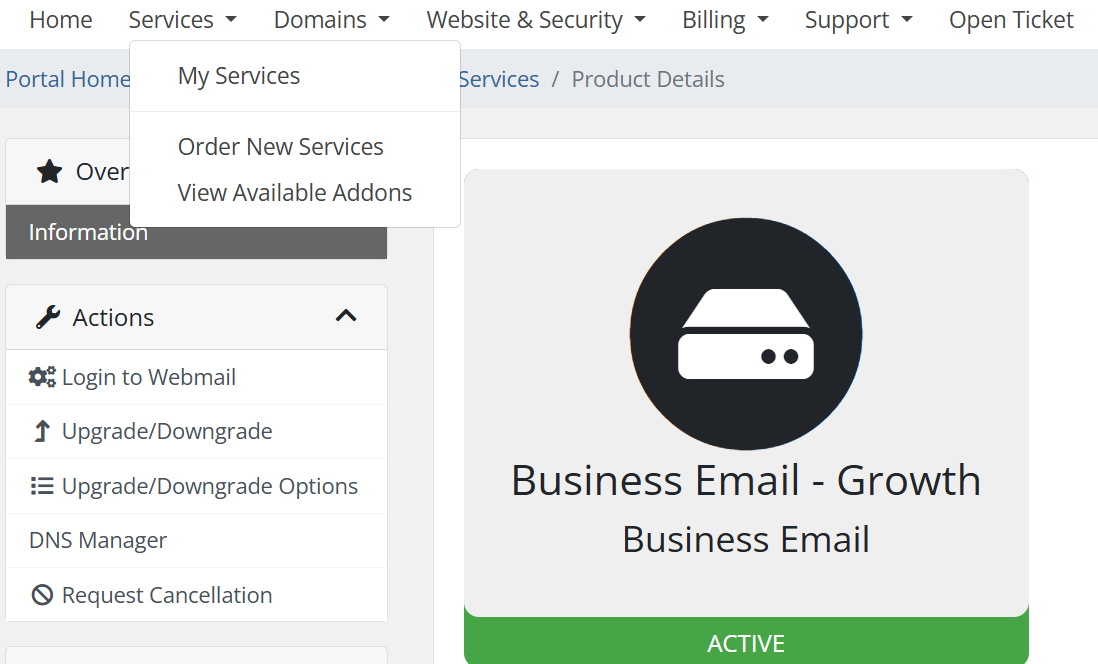
- You will be redirected to the Smartermail Web Control Panel.
Access directly to the webmail
- You should upgrade the user account to an Admin role. (How to Enable Domain Administrator Access for User).
- Browser https://mail.yourdomain .
- Enter the Username and Password of the domain admin account.
View the user usage
-
Login to http://mail.yourdomain.com as [email protected]
-
Click on 'Settings' --> 'Domain Settings' --> 'Accounts'
- You can now check the user usage on the right side

